Zigbee temperature sensor + hub
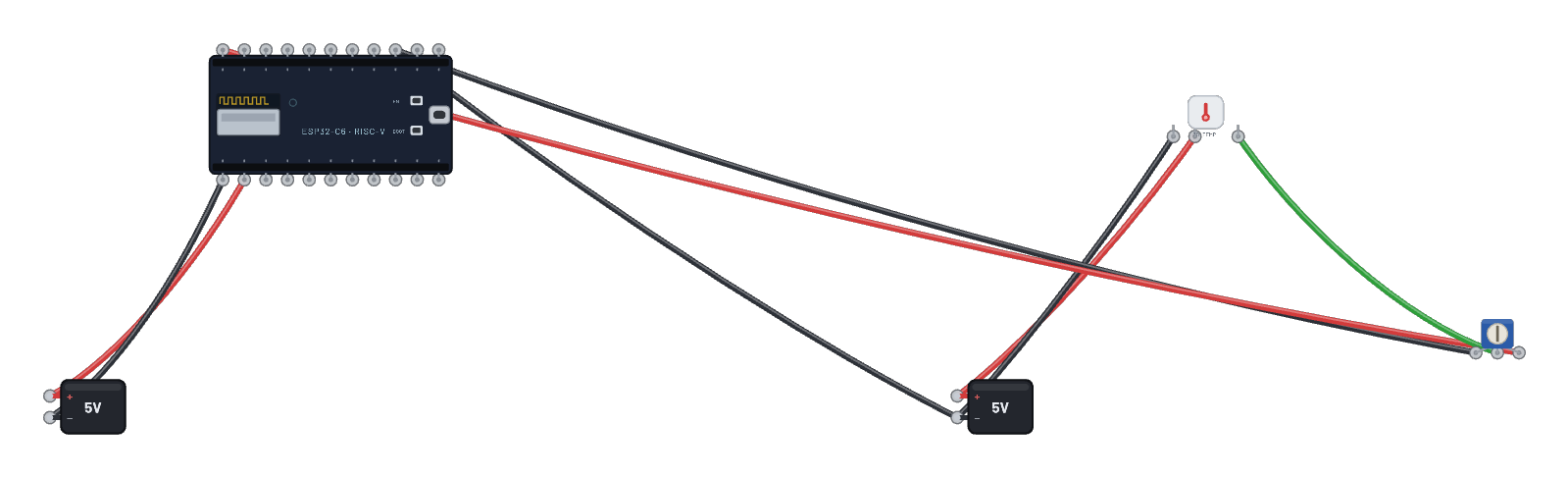
The reporting direction of Zigbee: a sealed battery-style temperature sensor joins the thermostat hub and reports over the standard temperature-measurement cluster. The trim pot on its probe (0–3.3 V = −10…+50 °C) is the temperature dial: drag it and watch the hub’s serial tab print each received report. Both firmware sketches are in the Code tab.
How it works
Zigbee's reporting direction. The sealed temperature sensor's C6 reads its probe pin with the real ADC (0–3.3 V maps to −10…+50 °C) and carries the value on the standard temperature-measurement cluster. The hub DevKit runs the thermostat coordinator firmware: it forms the network, waits for the sensor to bind, requests the sensor's configuration, and subscribes to fast reporting — from then on, every temperature change lands as a genuine attribute report the hub's callback prints. The trim pot on the probe is the temperature dial.
What's on the bench
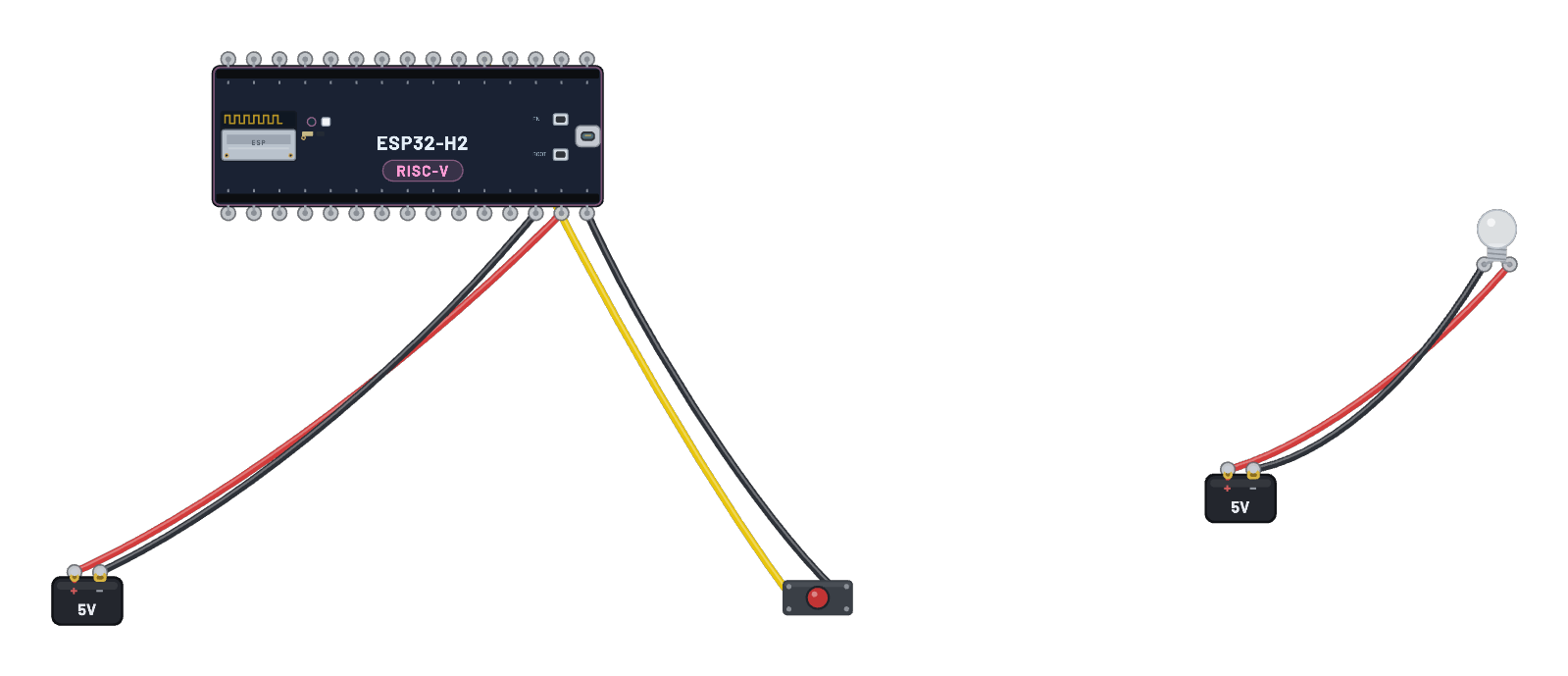
- 2× Battery
- ESP32-C6
- Trim Pot
- Zigbee Temp Sensor
How it's wired
- Battery · pos→ESP32-C6 · vin
- Battery · neg→ESP32-C6 · gnd
- Battery · pos→Zigbee Temp Sensor · vcc
- Battery · neg→Zigbee Temp Sensor · gnd
- Battery · neg→ESP32-C6 · gnd2
- Trim Pot · a→ESP32-C6 · gnd2
- Trim Pot · b→ESP32-C6 · 3v3
- Trim Pot · wiper→Zigbee Temp Sensor · probe
The code
The exact Arduino C++ sketch(es) the bundled firmware was compiled from — shown in the simulator’s Code tab, where you can edit them and press Compile & upload to rebuild the board’s firmware.
Thermostat hub (coordinator)
// Zigbee thermostat hub — the coordinator for the temperature sensor.
//
// Forms the network, waits for the sensor to join and bind, asks it for its
// configuration and a fast reporting schedule (no typing needed), and then
// narrates every temperature report it receives over the air.

#include <Arduino.h>
#ifndef ZIGBEE_MODE_ZCZR
#error "Zigbee coordinator mode is not selected in Tools->Zigbee mode"
#endif

#include "Zigbee.h"

#define THERMOSTAT_ENDPOINT 1

ZigbeeThermostat zbThermostat = ZigbeeThermostat(THERMOSTAT_ENDPOINT);

static float lastTemp = -1000;

void receiveSensorTemp(float temperature) {
  lastTemp = temperature;
  Serial.printf("Sensor reports %.1f C\r\n", temperature);
}

void receiveSensorConfig(float min_temp, float max_temp, float tolerance) {
  Serial.printf("Sensor config: %.1f..%.1f C, tolerance %.1f C\r\n", min_temp, max_temp, tolerance);
}

void setup() {
  Serial.begin(115200);

  zbThermostat.onTempReceive(receiveSensorTemp);
  zbThermostat.onTempConfigReceive(receiveSensorConfig);
  zbThermostat.setManufacturerAndModel("Breadboard", "ThermostatHub");

  Zigbee.addEndpoint(&zbThermostat);
  Zigbee.setRebootOpenNetwork(180);

  if (!Zigbee.begin(ZIGBEE_COORDINATOR)) {
    Serial.println("Zigbee failed to start!");
    Serial.println("Rebooting...");
    ESP.restart();
  }

  Serial.println("Network formed and open. Waiting for the temperature sensor to bind");
  while (!zbThermostat.bound()) {
    Serial.print(".");
    delay(500);
  }
  Serial.println();
  Serial.println("Sensor bound.");

  // Ask the sensor for its settings and a fast reporting schedule — the
  // stock example does this on a button press; the hub just does it.
  std::list<zb_device_params_t *> boundSensors = zbThermostat.getBoundDevices();
  for (const auto &device : boundSensors) {
    if (device->short_addr == 0x0000 || device->short_addr == 0xFFFF) {
      zbThermostat.getTemperatureSettings(device->endpoint, device->ieee_addr);
    } else {
      Serial.printf("Sensor on endpoint %u, short address 0x%04x\r\n", device->endpoint, device->short_addr);
      zbThermostat.getTemperatureSettings(device->endpoint, device->short_addr);
    }
  }
  delay(500);
  zbThermostat.setTemperatureReporting(0, 10, 0.5);
  Serial.println("Reporting requested: every temperature change arrives here.");
}

void loop() {
  static uint32_t lastPrint = 0;
  if (millis() - lastPrint > 10000) {
    lastPrint = millis();
    if (lastTemp > -1000) {
      Serial.printf("Latest sensor temperature: %.1f C\r\n", lastTemp);
    }
  }
  delay(100);
}
Temp sensor (end device)
// Zigbee temperature sensor — a battery-style end device that measures on
// its analog probe (GPIO2 / ADC1_CH2) and reports over the air.
//
// The probe voltage maps 0..3.3 V onto -10..+50 °C, so a potentiometer
// wiper on the probe pin sweeps the reported temperature. Reports ride the
// standard temperature-measurement cluster: the coordinator (e.g. the
// thermostat hub) receives genuine attribute reports.

#include <Arduino.h>
#ifndef ZIGBEE_MODE_ED
#error "Zigbee end device mode is not selected in Tools->Zigbee mode"
#endif

#include "Zigbee.h"

#define ZIGBEE_TEMP_ENDPOINT 10
const uint8_t probe = 2;  // GPIO2 = ADC1_CH2

ZigbeeTempSensor zbTemp = ZigbeeTempSensor(ZIGBEE_TEMP_ENDPOINT);

static float readProbeC() {
  int raw = analogRead(probe);  // 0..4095 across 0..3.3 V
  return (raw / 4095.0f) * 60.0f - 10.0f;
}

void setup() {
  Serial.begin(115200);
  analogReadResolution(12);

  zbTemp.setManufacturerAndModel("Breadboard", "TempSensor");
  zbTemp.setMinMaxValue(-10, 50);
  zbTemp.setTolerance(0.5);

  Serial.println("Adding ZigbeeTempSensor endpoint to Zigbee Core");
  Zigbee.addEndpoint(&zbTemp);

  if (!Zigbee.begin()) {
    Serial.println("Zigbee failed to start!");
    Serial.println("Rebooting...");
    ESP.restart();
  }
  Serial.println("Connecting to network");
  while (!Zigbee.connected()) {
    Serial.print(".");
    delay(100);
  }
  Serial.println();

  // Report at most every second, at least every 10 s, or on a 0.5 °C move.
  zbTemp.setReporting(1, 10, 0.5);
  Serial.println("Joined. Reporting probe temperature (GPIO2, 0-3.3V = -10..50C).");
}

void loop() {
  static uint32_t lastRead = 0;
  if (millis() - lastRead >= 2000) {
    lastRead = millis();
    float t = readProbeC();
    zbTemp.setTemperature(t);
    Serial.printf("probe %.1f C\r\n", t);
  }
  delay(100);
}
Firmware licence
Notice: this firmware uses the LGPL-licensed Arduino core library
arduino-zigbee-thermostat-c6.bin is statically linked with Arduino-ESP32 3.3.10. Parts of this library are licensed under the GNU Lesser General Public License, version 2.1 or (at your option) any later version. You may modify this work for your own use and reverse engineer it to debug those modifications. Download the relink package and corresponding source to rebuild it with a changed library.
It also links Espressif’s ZBOSS Zigbee stack, supplied unchanged under its own licence, which forbids reverse engineering, decompiling, modifying or disassembling the ZBOSS binary itself. Relink with the ZBOSS archives unchanged.
- Relink package: zigbee-thermostat-c6-relink.zip (1.0 MB)
- Required shared inputs: arduino-esp32-3.3.10-esp32c6-sdk.zip (10.0 MB), arduino-esp32-3.3.10-notices.zip (0.1 MB)
- Corresponding source: arduino-esp32-3.3.10-core-source.zip (1.2 MB), arduino-esp32-3.3.10-esp32c6-headers-source.zip (2.1 MB)
- Licence texts and relink instructions
Notice: this firmware uses the LGPL-licensed Arduino core library
arduino-zigbee-tempsensor-c6.bin is statically linked with Arduino-ESP32 3.3.10. Parts of this library are licensed under the GNU Lesser General Public License, version 2.1 or (at your option) any later version. You may modify this work for your own use and reverse engineer it to debug those modifications. Download the relink package and corresponding source to rebuild it with a changed library.
It also links Espressif’s ZBOSS Zigbee stack, supplied unchanged under its own licence, which forbids reverse engineering, decompiling, modifying or disassembling the ZBOSS binary itself. Relink with the ZBOSS archives unchanged.
- Relink package: zigbee-tempsensor-c6-relink.zip (1.0 MB)
- Required shared inputs: arduino-esp32-3.3.10-esp32c6-sdk.zip (10.0 MB), arduino-esp32-3.3.10-notices.zip (0.1 MB)
- Corresponding source: arduino-esp32-3.3.10-core-source.zip (1.2 MB), arduino-esp32-3.3.10-esp32c6-headers-source.zip (2.1 MB)
- Licence texts and relink instructions
Try this
- Watch the hub's serial tab: network forms, sensor binds, config arrives, then reports stream in.
- Drag the pot — the sensor’s own serial prints each probe reading, and the hub prints each received report.
- Click the temp sensor: the Inspector shows the live probe temperature.
- Open the Code tab: both real sketches (hub + sensor), exactly what the firmware was built from.