Cómo funciona
El ESP32 se conecta a BreadboardNet y usa el internet de pruebas del simulador: una imitación determinista sin conexión integrada en el núcleo de red emulado. Hace DNS real para api.weather.test (el resolvedor responde a cualquier nombre), abre TCP real y envía HTTP GET sin cifrar. El servicio simulado devuelve JSON y otra solicitud a /time lee el reloj virtual. MicroPython analiza ambos con json y llena la SH1107 de 1.5″ y 128×128: ubicación, cielo, temperatura, humedad, viento, gráfica de tendencia dibujada barra a barra con framebuf y reloj UTC. Los servicios simulados permiten ejecutar sin sesión, sin conexión y de forma reproducible. api.weather.test solo existe en pruebas: no se resuelve en internet real, por lo que este montaje permanece en pruebas. El ejemplo «El tiempo por internet real (Pro)» usa el mismo código de sockets con una API real por la pasarela segura.
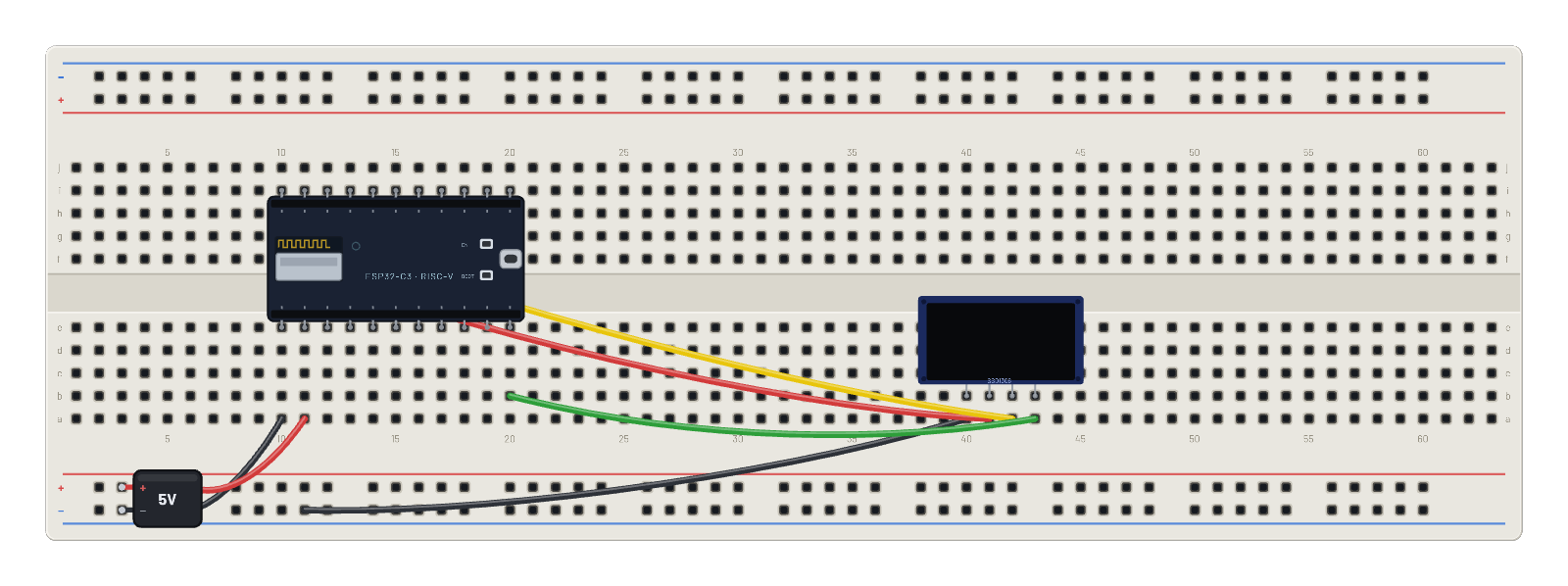
Componentes del montaje
- ESP32-C3
- OLED 1.5″ 128×128
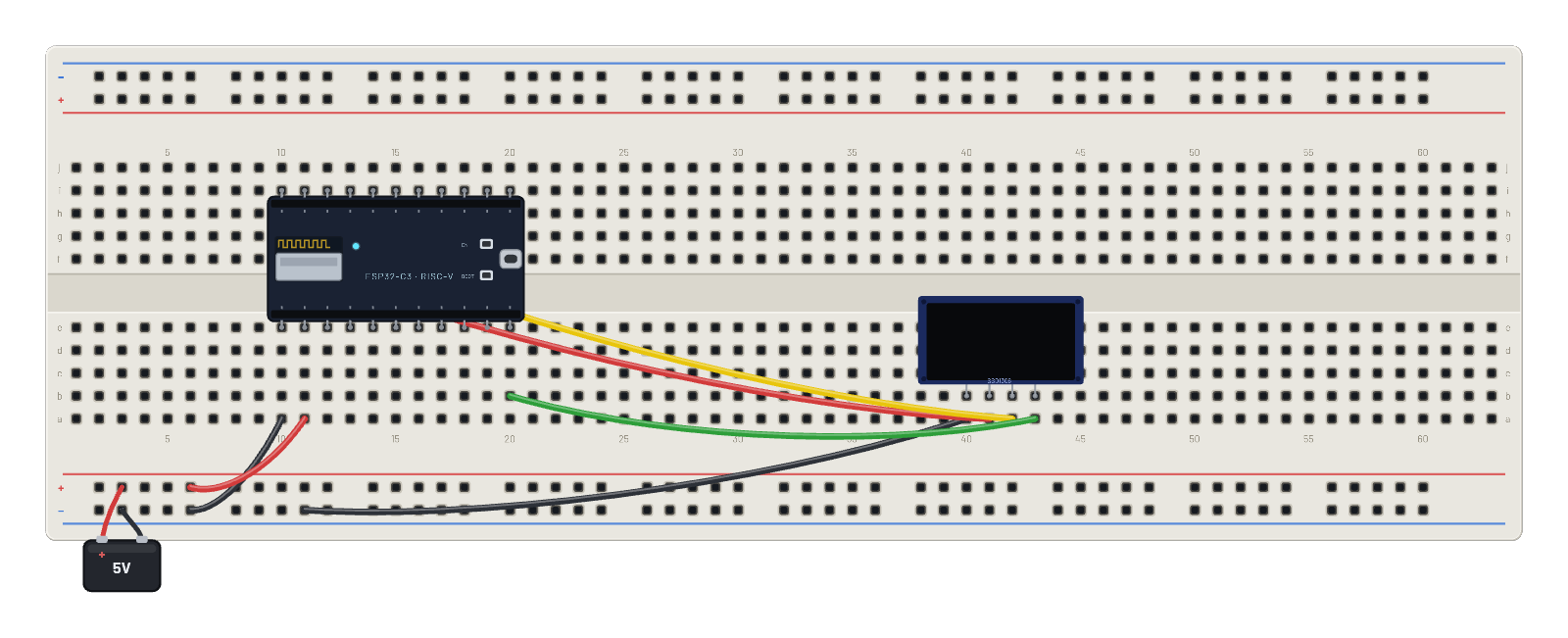
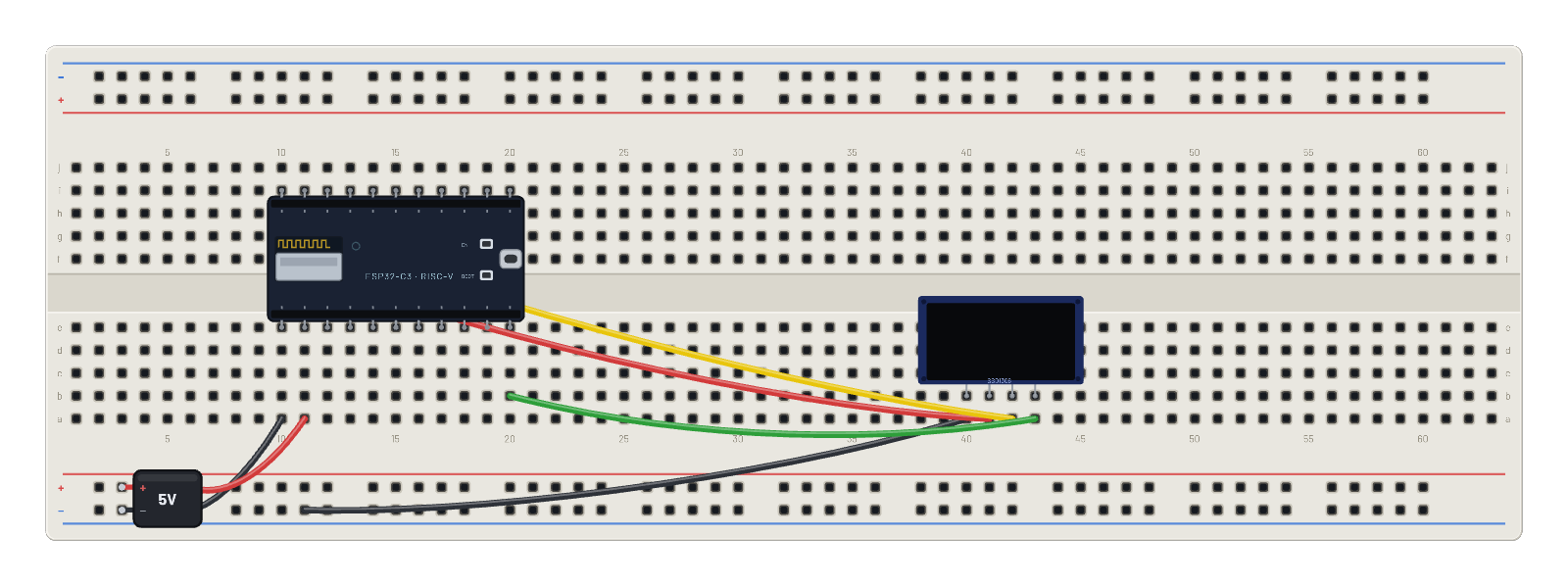
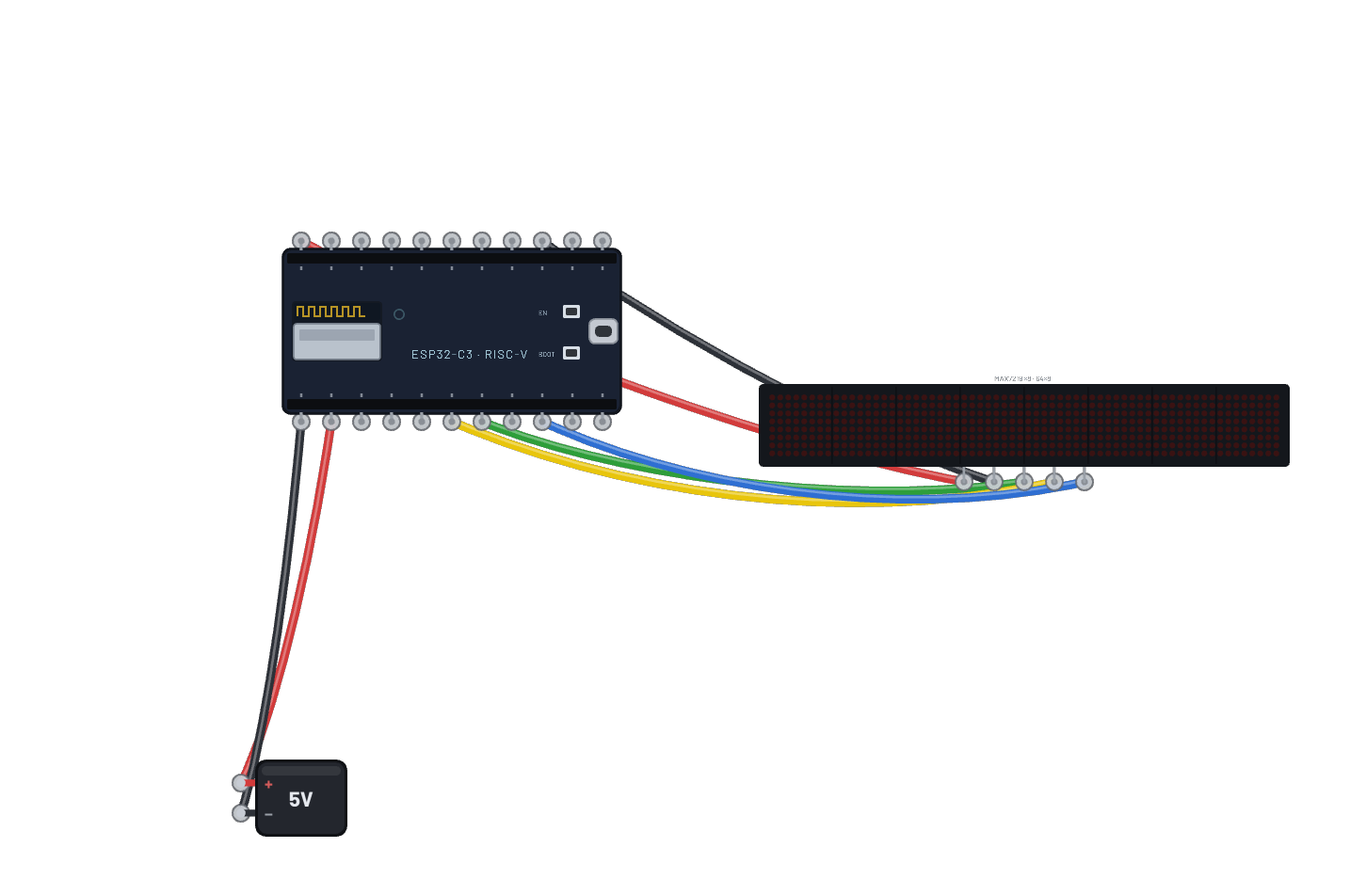
Cómo está conectado
- orificio a10→orificio B-5
- orificio a11→orificio B+5
- orificio a40→orificio B-9
- orificio a41→orificio f10
- orificio a42→orificio g11
- orificio a43→orificio b20
- ESP32-C3 · gnd→orificio e10
- ESP32-C3 · vin→orificio e11
- ESP32-C3 · g8→orificio e20
- ESP32-C3 · 3v3→orificio i10
- ESP32-C3 · g9→orificio i11
El código
Este script de MicroPython se ejecuta en la placa emulada en cada arranque; edítalo en Code.
from machine import I2C, Pin
import framebuf, time
i = I2C(0, scl=Pin(9), sda=Pin(8))
buf = bytearray(2048)
fb = framebuf.FrameBuffer(buf, 128, 128, framebuf.MONO_VLSB)
for c in b'\xae\x20\xa8\x7f\xd3\x00\xdc\x00\x81\x4f\xad\x8a\xa4\xa6\xaf':
    i.writeto(0x3d, bytes([0, c]))
def show():
    for p in range(16):
        i.writeto(0x3d, bytes([0x00, 0xb0 + p, 0x00, 0x10]))
        i.writeto(0x3d, b'\x40' + buf[p*128:(p+1)*128])

import network, socket, json
w = network.WLAN(network.STA_IF)
w.active(True)
fb.fill(0); fb.text('joining WiFi...', 0, 60); show()
w.connect('BreadboardNet')
while not w.isconnected():
    time.sleep_ms(100)
def fetch(host, path):
    # Real DNS against the sandbox resolver, then a genuine TCP socket.
    addr = socket.getaddrinfo(host, 80)[0][-1]
    s = socket.socket()
    s.connect(addr)
    s.send(('GET ' + path + ' HTTP/1.0\r\nHost: ' + host + '\r\n\r\n').encode())
    r = b''
    while True:
        c = s.recv(256)
        if not c:
            break
        r += c
    s.close()
    return json.loads(r.split(b'\r\n\r\n', 1)[1])
hist = []
n = 0
while True:
    wx = fetch('api.weather.test', '/weather')
    t = fetch('worldtimeapi.test', '/time')
    n += 1
    hist.append(wx['temperature_c'])
    if len(hist) > 21:
        hist.pop(0)
    fb.fill(0)
    fb.text('INTERNET WEATHER', 0, 0)
    fb.hline(0, 10, 128, 1)
    fb.text(wx['location'][:16], 0, 16)
    fb.text(wx['conditions'][:16], 0, 26)
    fb.text('TEMP %s C' % wx['temperature_c'], 0, 40)
    fb.text('HUM  %d %%' % wx['humidity'], 0, 50)
    fb.text('WIND %s kph' % wx['wind_kph'], 0, 60)
    fb.hline(0, 72, 128, 1)
    fb.text('temp trend', 0, 76)
    # Sparkline: one bar per refresh, scaled to the window seen so far.
    # (bi, not i: the display driver owns the global i = I2C bus.)
    if len(hist) > 1:
        lo = min(hist); span = (max(hist) - lo) or 1
        for bi, v in enumerate(hist):
            h = 2 + int(20 * (v - lo) / span)
            fb.fill_rect(bi * 6, 110 - h, 4, h, 1)
    fb.hline(0, 114, 128, 1)
    fb.text(t['utc_datetime'][11:19] + ' #%d' % n, 0, 119)
    show()
    print('wx', n, wx['temperature_c'], 'C,', wx['conditions'])
    time.sleep_ms(2000)
Prueba esto
- Observa la última línea de la OLED: reloj UTC y contador avanzan en cada actualización de 2 segundos.
- Abre Wi-Fi sniffer y sigue un intercambio: consulta y respuesta DNS, TCP SYN/ACK, GET y respuesta JSON.
- Edita el script en Code para consultar '/api' (panel simulado) o enviar POST a '/echo'.
- Selecciona ESP32 y mira arriba del Inspector Wi-Fi: ahí Pro cambia a internet real, en un montaje cuyo script apunte a un host real, como el ejemplo del tiempo en vivo.