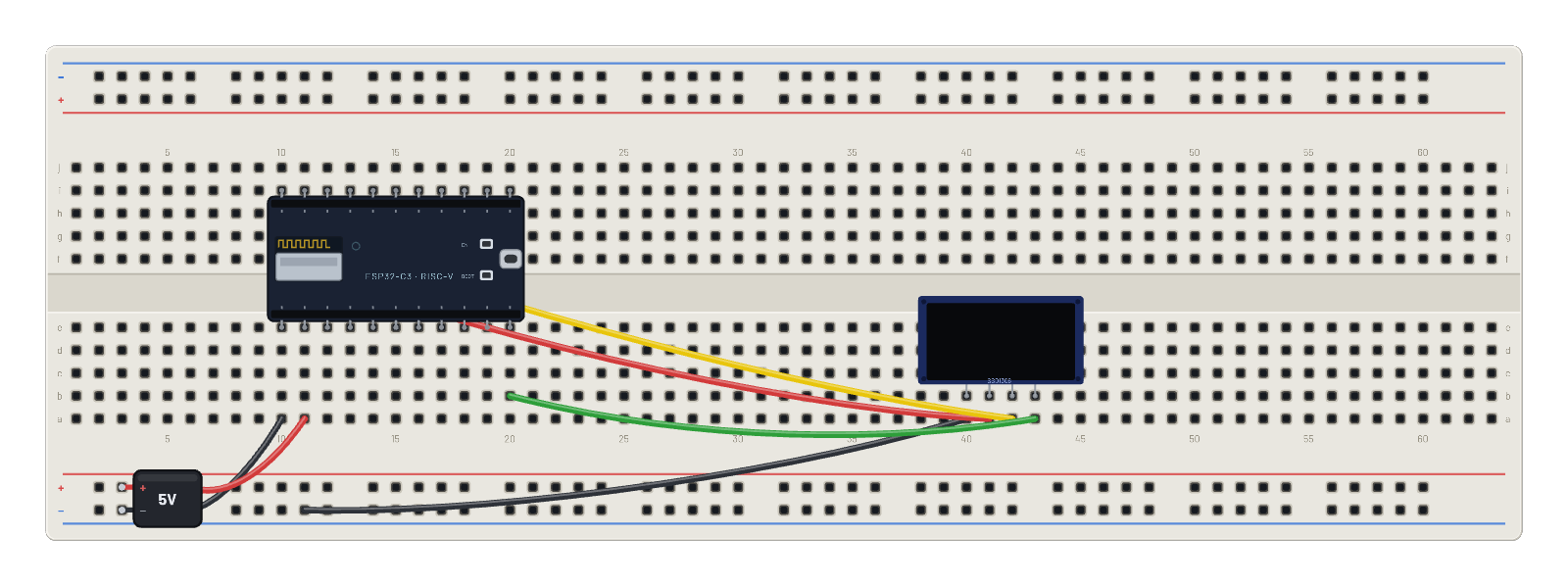
Cómo funciona
Este montaje puede salir del simulador. El script es MicroPython habitual (DNS, socket TCP, HTTP GET a api.open-meteo.com); el ajuste de salida de la placa decide adónde va. En 🧪 Sandbox (por defecto y único modo gratuito o sin sesión), la solicitud permanece en la imitación determinista del núcleo: no devuelve el tiempo real y la pantalla explica cómo activarlo. Cambia el Inspector Wi-Fi del ESP32 a 🌐 Real internet (Pro con sesión y consentimiento por circuito): los mismos bytes se capturan en la pasarela virtual y se retransmiten por el servicio seguro, con TLS en el perímetro, lista permitida y cuotas y auditoría de cada solicitud. Open-Meteo no requiere clave: el JSON real vuelve al firmware, que analiza current_weather y dibuja temperatura y viento de tu ciudad. En modo real consulta una vez por minuto para respetar la cuota diaria.
Componentes del montaje
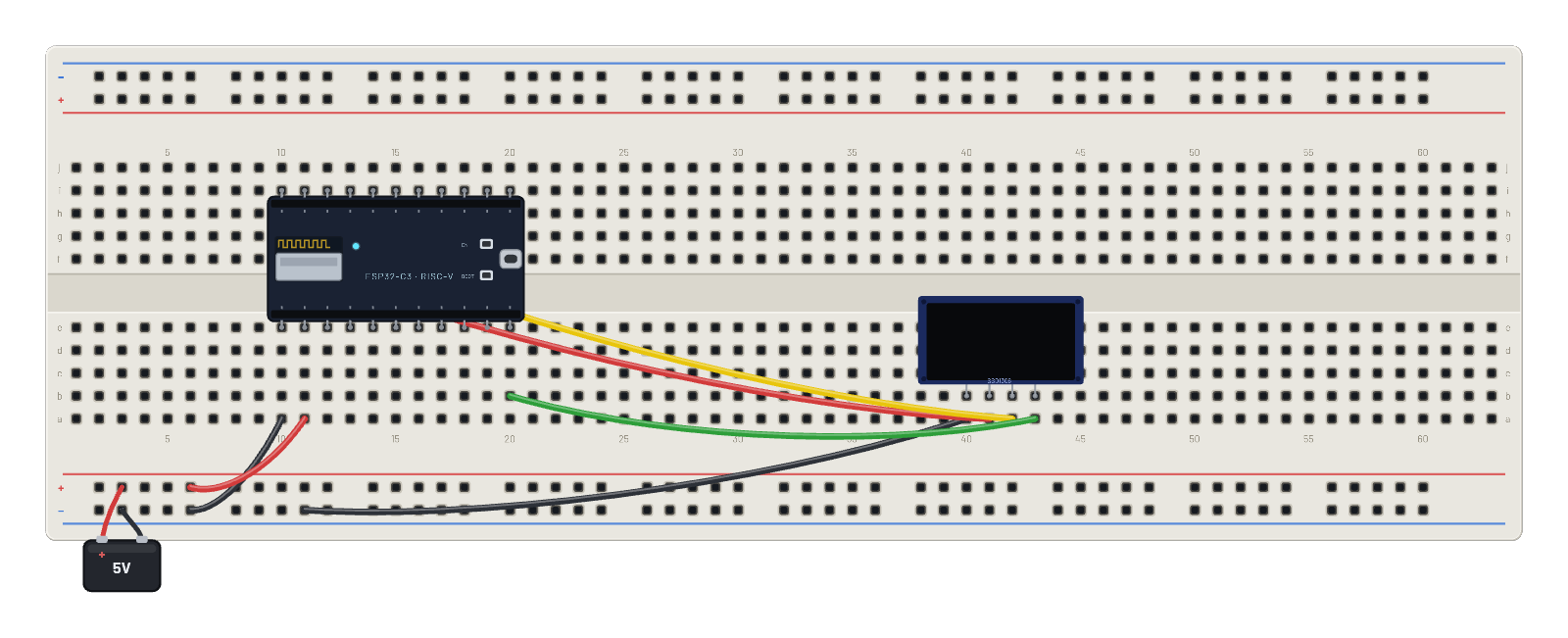
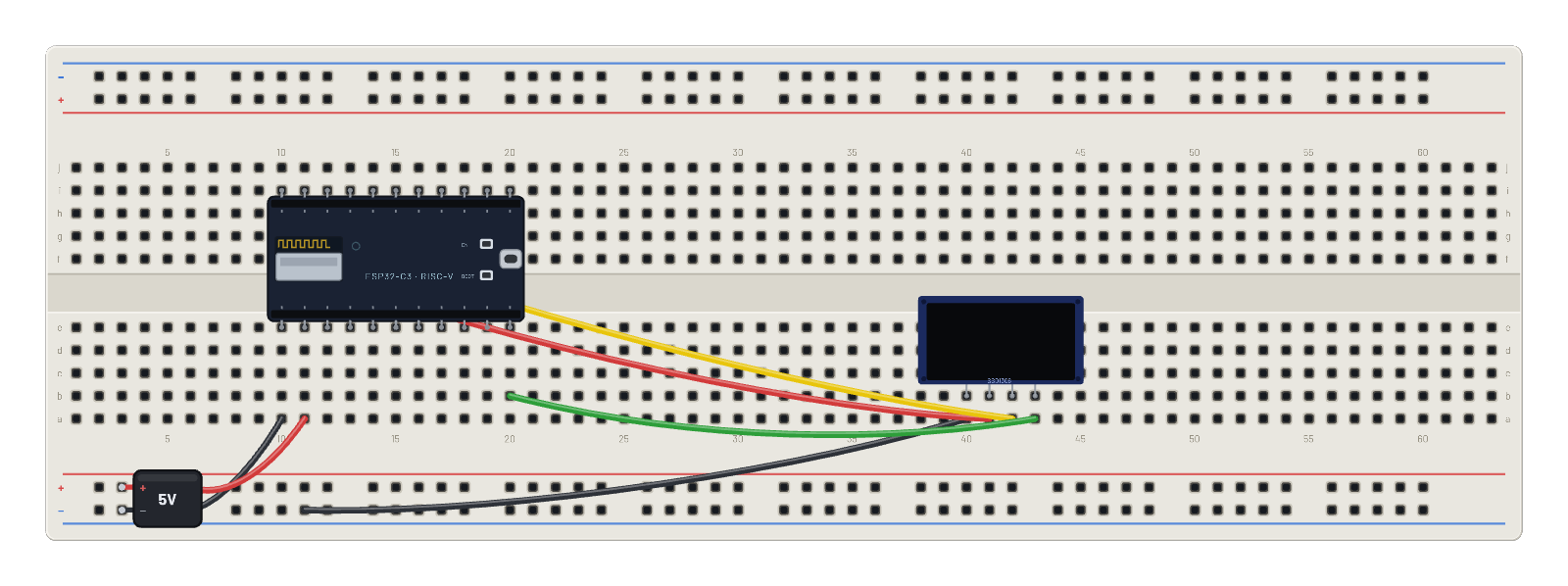
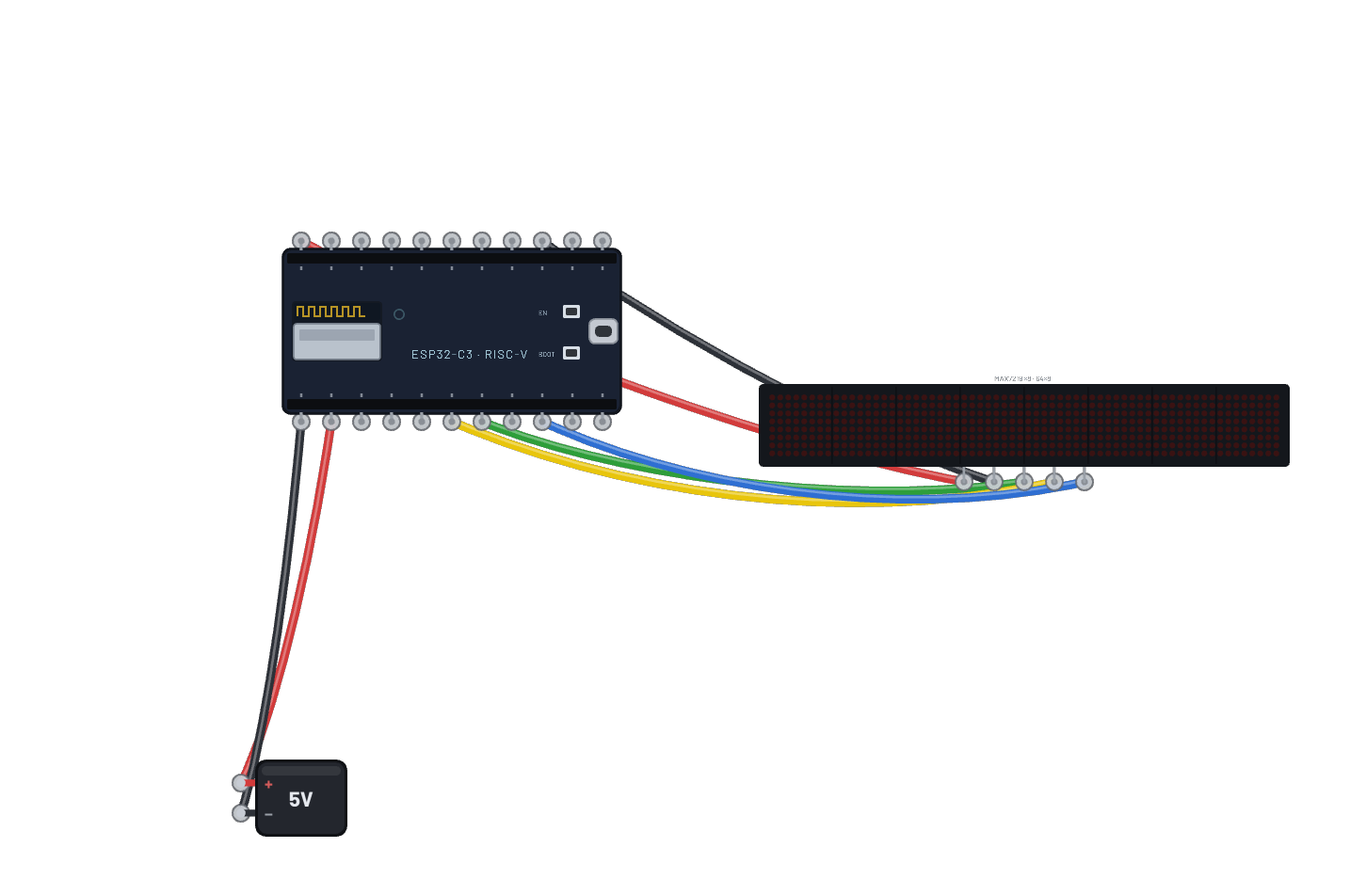
- ESP32-C3
- OLED 1.5″ 128×128
Cómo está conectado
- orificio a10→orificio B-5
- orificio a11→orificio B+5
- orificio a40→orificio B-9
- orificio a41→orificio f10
- orificio a42→orificio g11
- orificio a43→orificio b20
- ESP32-C3 · gnd→orificio e10
- ESP32-C3 · vin→orificio e11
- ESP32-C3 · g8→orificio e20
- ESP32-C3 · 3v3→orificio i10
- ESP32-C3 · g9→orificio i11
El código
Este script de MicroPython se ejecuta en la placa emulada en cada arranque; edítalo en Code.
from machine import I2C, Pin import framebuf, time i = I2C(0, scl=Pin(9), sda=Pin(8)) buf = bytearray(2048) fb = framebuf.FrameBuffer(buf, 128, 128, framebuf.MONO_VLSB) for c in b'\xae\x20\xa8\x7f\xd3\x00\xdc\x00\x81\x4f\xad\x8a\xa4\xa6\xaf': i.writeto(0x3d, bytes([0, c])) def show(): for p in range(16): i.writeto(0x3d, bytes([0x00, 0xb0 + p, 0x00, 0x10])) i.writeto(0x3d, b'\x40' + buf[p*128:(p+1)*128]) import network, socket, json # Pick your city (Open-Meteo needs no API key): CITY = 'London' LAT, LON = 51.5, -0.12 w = network.WLAN(network.STA_IF) w.active(True) fb.fill(0); fb.text('joining WiFi...', 0, 28); show() w.connect('BreadboardNet') while not w.isconnected(): time.sleep_ms(100) HOST = 'api.open-meteo.com' PATH = '/v1/forecast?latitude=%s&longitude=%s¤t_weather=true' % (LAT, LON) def fetch(): addr = socket.getaddrinfo(HOST, 80)[0][-1] s = socket.socket() s.connect(addr) s.send(('GET ' + PATH + ' HTTP/1.0\r\nHost: ' + HOST + '\r\n\r\n').encode()) r = b'' while True: c = s.recv(256) if not c: break r += c s.close() # Report the status too: a canned sandbox reply (200) and a refused # egress request (4xx/5xx) both fail to parse, but they mean different # things and deserve different advice. status = 0 try: head, body = r.split(b'\r\n\r\n', 1) status = int(head.split(b' ')[1]) except (ValueError, IndexError): return None, status try: return json.loads(body)['current_weather'], status except (ValueError, KeyError): return None, status # not live data n = 0 while True: cw, status = fetch() n += 1 fb.fill(0) if cw: print('live', n, CITY, cw['temperature'], 'C') fb.text('REAL INTERNET', 0, 2) fb.hline(0, 13, 128, 1) fb.text(CITY[:16], 0, 26) fb.text('%s C' % cw['temperature'], 0, 48) fb.text('wind %s km/h' % cw['windspeed'], 0, 66) fb.hline(0, 88, 128, 1) fb.text('open-meteo.com', 0, 96) fb.text('live via egress', 0, 108) fb.text('fetch #%d' % n, 0, 120) elif status >= 400: # Real internet IS on, but the gateway refused this request. The # bench notice says why (not Pro, quota spent, gateway offline). print('egress refused - HTTP %d. See the bench notice for the reason.' % status) fb.text('EGRESS REFUSED', 0, 2) fb.hline(0, 13, 128, 1) fb.text('HTTP %d' % status, 0, 26) fb.text('The gateway said', 0, 44) fb.text('no. Check the', 0, 56) fb.text('bench notice.', 0, 68) fb.hline(0, 88, 128, 1) fb.text('ESP32 > Wi-Fi >', 0, 100) fb.text('Sandbox to undo', 0, 116) else: print('sandbox reply - flip the ESP32 inspector Wi-Fi toggle to Real internet (signed-in Pro) for live data') fb.text('SANDBOX MODE', 0, 2) fb.hline(0, 13, 128, 1) fb.text('Canned sandbox', 0, 26) fb.text('data, not live.', 0, 38) fb.hline(0, 60, 128, 1) fb.text('For LIVE data:', 0, 68) fb.text('sign in (Pro),', 0, 84) fb.text('ESP32 > Wi-Fi >', 0, 100) fb.text('Real internet', 0, 116) show() time.sleep_ms(60000 if cw else 5000)
Prueba esto
- Ejecuta primero sin sesión: la OLED muestra SANDBOX MODE con los pasos para activarlo. Esa pantalla explica toda la condición de acceso.
- Inicia sesión con Pro, selecciona ESP32 y cambia Wi-Fi de 🧪 Sandbox a 🌐 Real internet. La siguiente consulta muestra la temperatura real.
- Edita CITY/LAT/LON al inicio del script en Code y ejecuta de nuevo para tu ciudad.
- Abre Wi-Fi sniffer: las tramas 802.11 son idénticas en ambos modos. El cambio de pruebas a real ocurre en la pasarela, no en la radio.