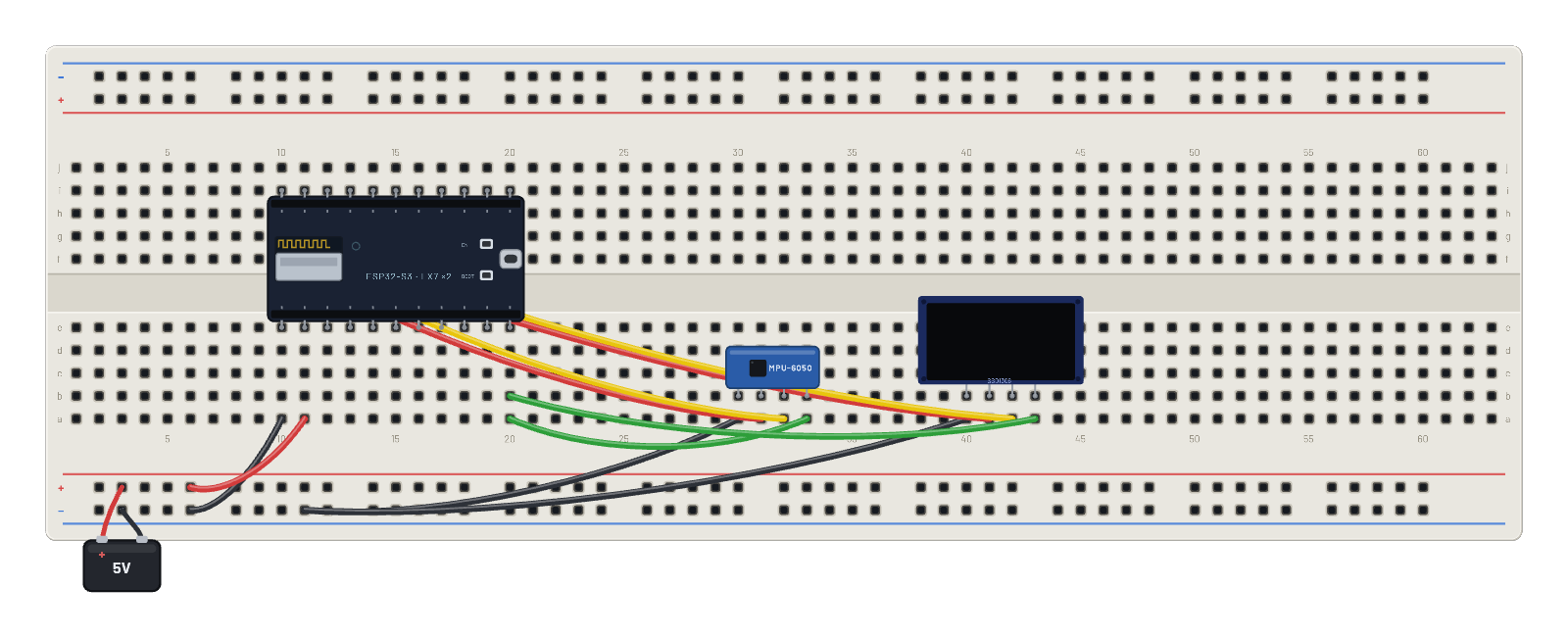
Cómo funciona
Un nivel sin líquido: ESP32-S3 despierta MPU-6050 borrando su bit de reposo (0x6B), lee en ráfaga desde 0x3B y descompone int16 big-endian de 16384 LSB por g. Mapea la inclinación X/Y a la OLED: una burbuja circular sigue el vector de aceleración dentro de un anillo, cinco veces por segundo. Sin biblioteca de controlador: solo los registros de la hoja de datos.
Componentes del montaje
- ESP32-S3
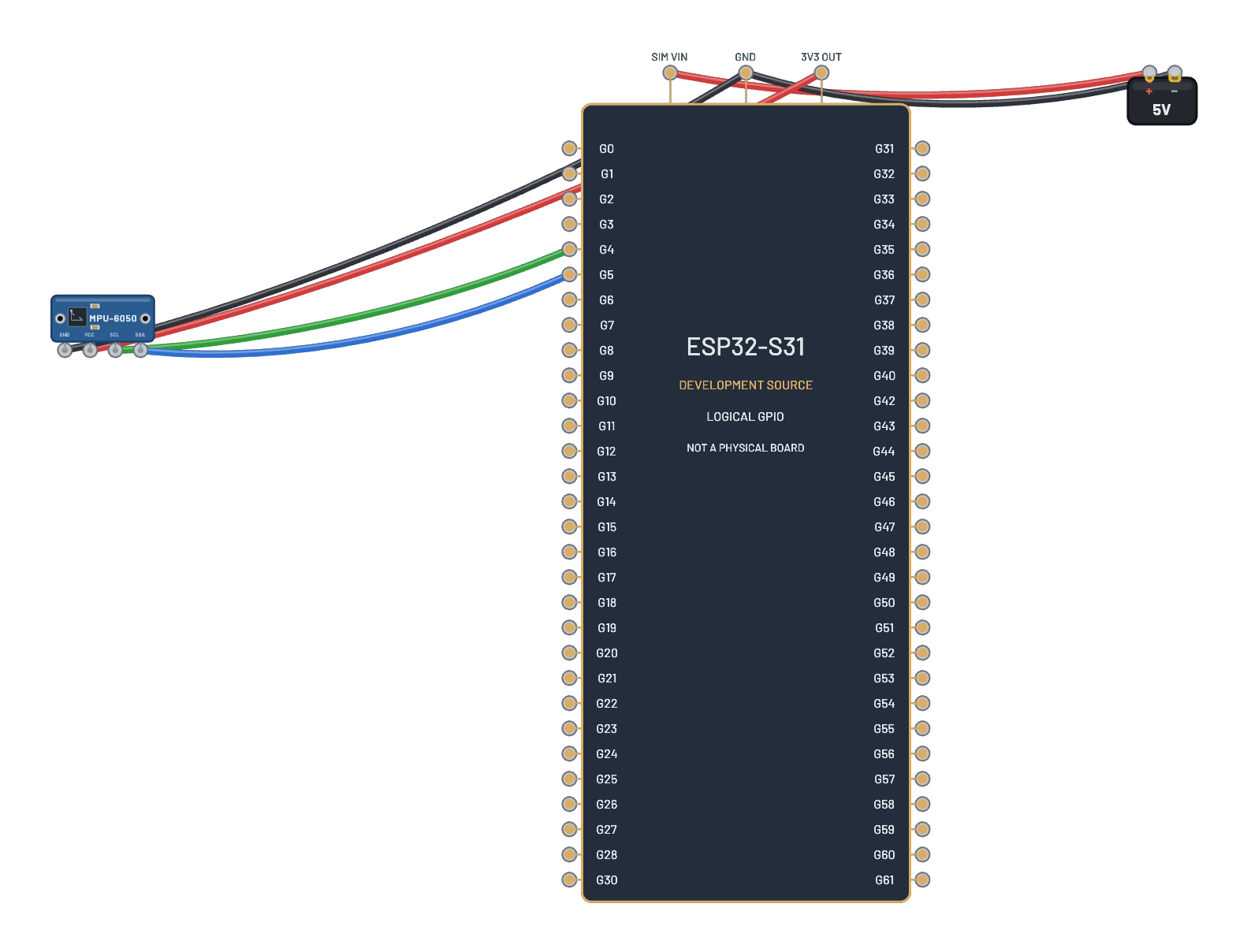
- MPU-6050
- OLED 128×64
Cómo está conectado
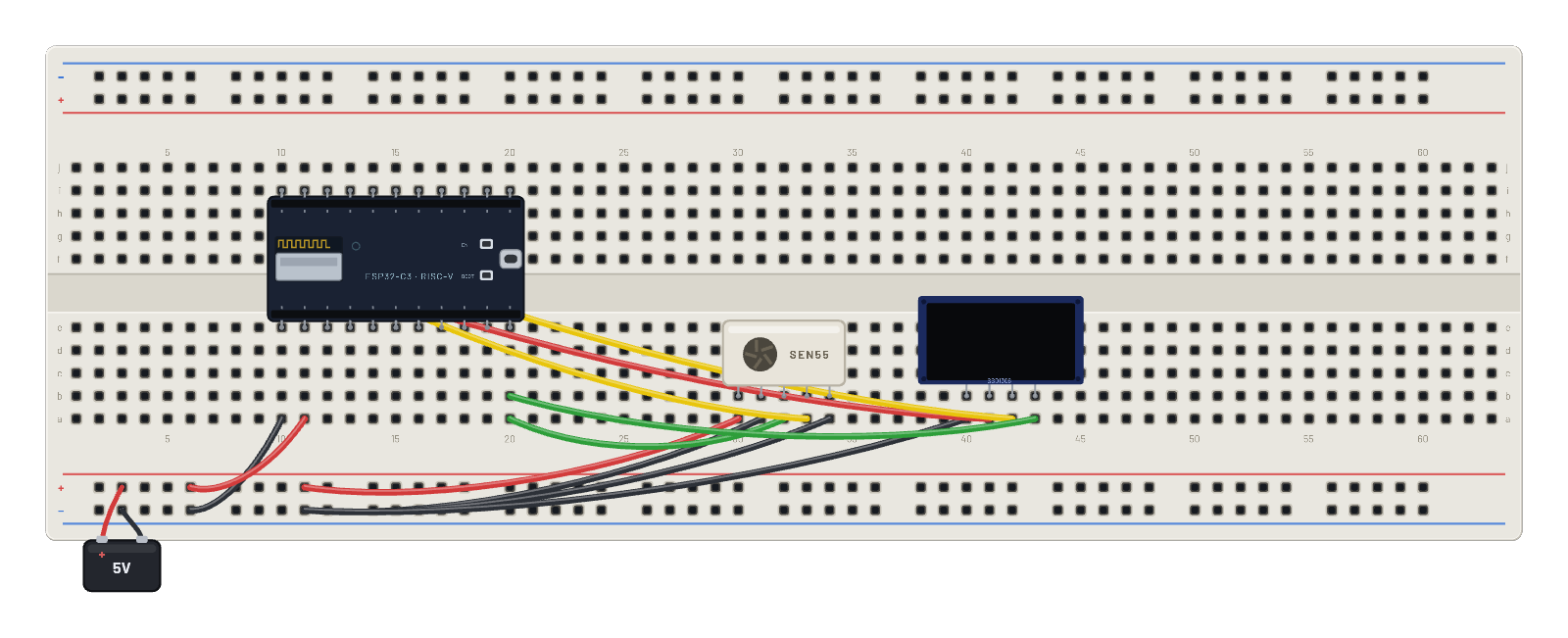
- orificio a10→orificio B-5
- orificio a11→orificio B+5
- orificio a30→orificio B-9
- orificio a31→orificio f10
- orificio a32→orificio f11
- orificio a33→orificio a20
- orificio a40→orificio B-9
- orificio a41→orificio g10
- orificio a42→orificio g11
- orificio a43→orificio b20
- ESP32-S3 · gnd→orificio e10
- ESP32-S3 · vin→orificio e11
- ESP32-S3 · g8→orificio e20
- ESP32-S3 · 3v3→orificio i10
- ESP32-S3 · g9→orificio i11
El código
Este script de MicroPython se ejecuta en la placa emulada en cada arranque; edítalo en Code.
from machine import I2C, Pin
import framebuf, time
i = I2C(0, scl=Pin(9), sda=Pin(8))
buf = bytearray(1024)
fb = framebuf.FrameBuffer(buf, 128, 64, framebuf.MONO_VLSB)
for c in b'\xae\xd5\x80\xa8\x3f\xd3\x00\x40\x8d\x14\x20\x00\xa1\xc8\xda\x12\x81\xcf\xd9\xf1\xdb\x40\xa4\xa6\xaf':
    i.writeto(0x3c, bytes([0, c]))
def show():
    i.writeto(0x3c, b'\x00\x21\x00\x7f\x22\x00\x07')
    i.writeto(0x3c, b'\x40' + buf)

# MPU-6050: wake, then track the gravity vector as a bubble
i.writeto_mem(0x68, 0x6B, b'\x00')
import struct
for n in range(120):
    ax, ay = struct.unpack(">hh", i.readfrom_mem(0x68, 0x3B, 4))
    x = int(64 + 56 * (ax / 16384))
    y = int(32 + 28 * (ay / 16384))
    fb.fill(0)
    fb.ellipse(64, 32, 30, 30, 1)
    fb.ellipse(64, 32, 4, 4, 1)
    fb.ellipse(x, y, 6, 6, 1, True)
    fb.text('LEVEL', 45, 56)
    show()
    time.sleep(0.2)
Prueba esto
- Selecciona MPU-6050 y arrastra Accel X y Y: la burbuja sigue la inclinación.
- Nivela (X=0, Y=0) para centrar la burbuja.
- Aumenta los multiplicadores 56 y 28 del script para darle más sensibilidad.
- Lee el ID en REPL: i.readfrom_mem(0x68, 0x75, 1) responde b'\x68'.