Zigbee network: smart bulb + switch
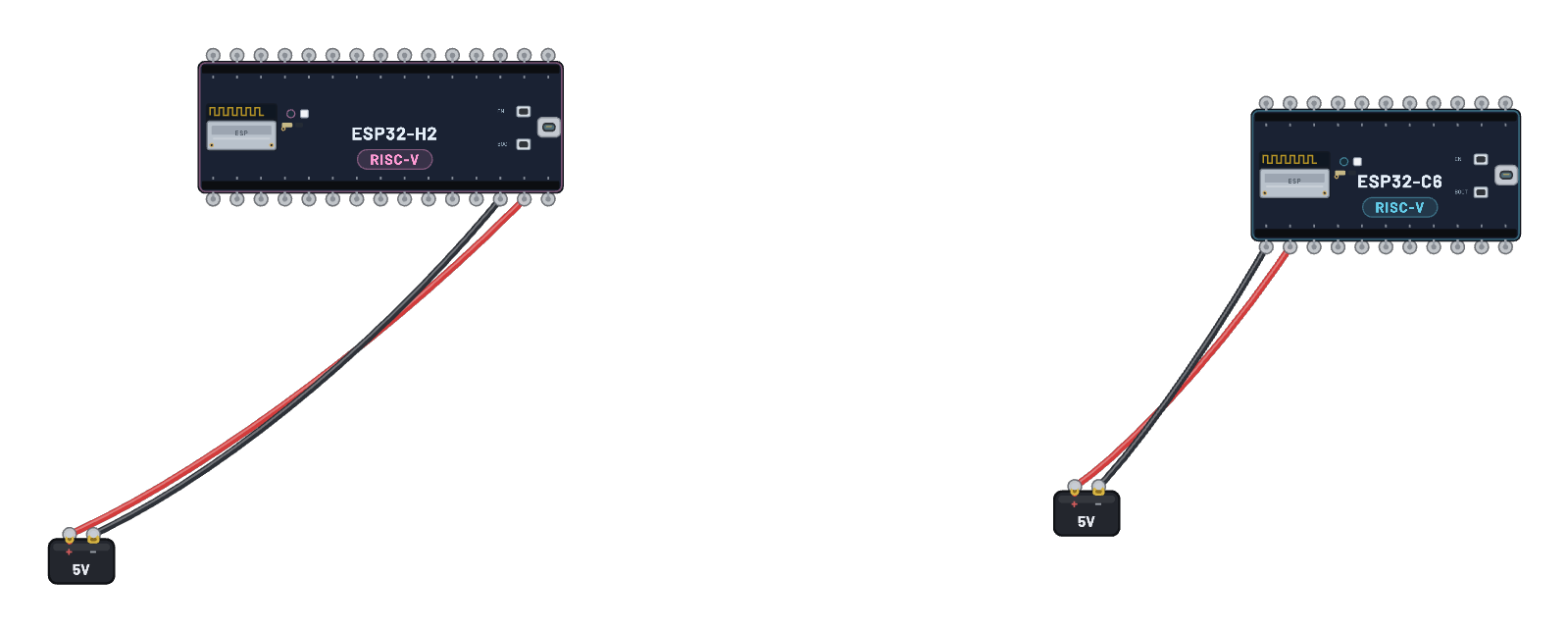
A real smart bulb on the bench: the sealed lamp hides a genuine emulated ESP32-C6 running esp-zigbee light firmware, exactly like the SoC inside a Hue or IKEA bulb. The C6 board is the coordinator (switch); the bulb joins its network over the shared 802.15.4 air, gets bound, and then CLICK AND HOLD THE BUTTON briefly: a real ZCL Toggle crosses the air and the glass lights up. Click the bulb to see its join state and light level, and follow the join in the 📡 Sniffer. (The join takes a moment.)
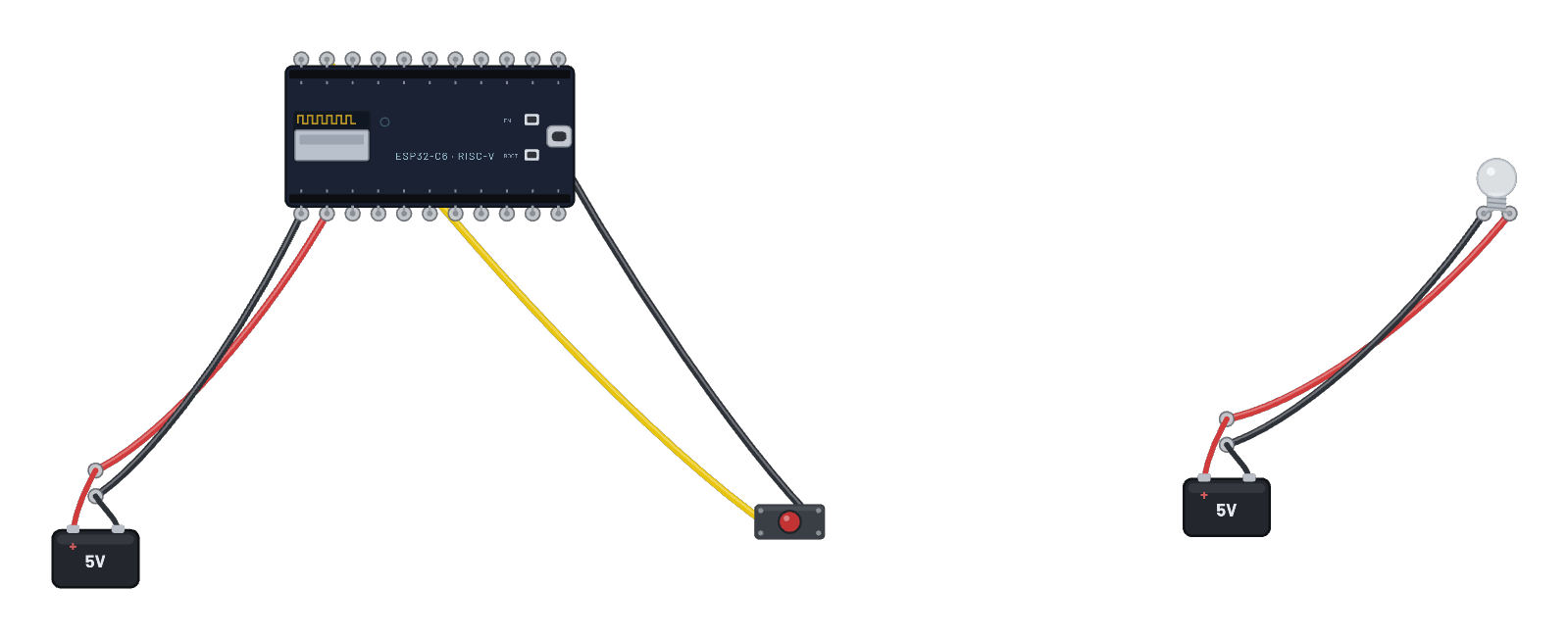
How it works
A self-contained Zigbee smart bulb sits next to an ESP32-C6 coordinator (the switch). The sealed lamp hides a genuine emulated ESP32-C6 running esp-zigbee light firmware — exactly like the SoC inside a Hue or IKEA bulb. On boot the coordinator forms a network; the bulb joins over the shared 802.15.4 air and is bound to the switch. Pressing (and briefly holding) the button fires a real ZCL Toggle, the bulb receives it, and the glass lights up.
What's on the bench
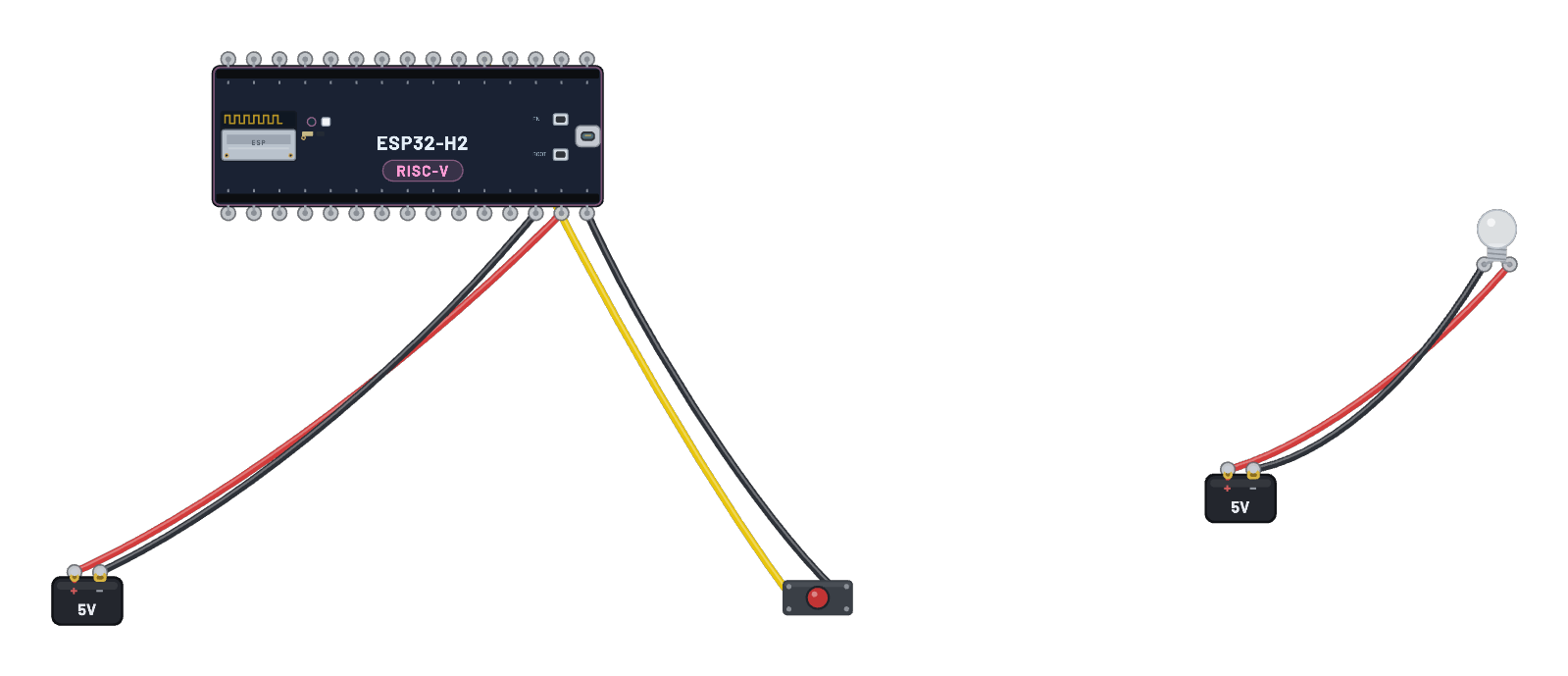
- 2× Battery
- Button
- ESP32-C6
- Zigbee Bulb
How it's wired
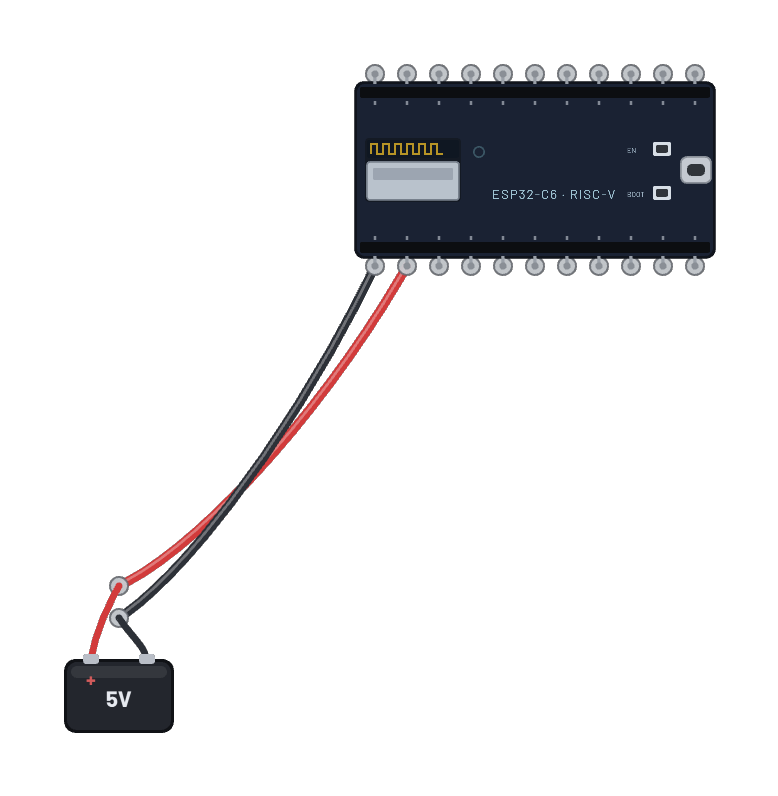
- Battery · pos→ESP32-C6 · vin
- Battery · neg→ESP32-C6 · gnd
- Button · a→ESP32-C6 · g9
- Button · b→ESP32-C6 · gnd2
- Battery · pos→Zigbee Bulb · vcc
- Battery · neg→Zigbee Bulb · gnd
The code
The exact Arduino C++ sketch(es) the bundled firmware was compiled from — shown in the simulator’s Code tab, where you can edit them and press Compile & upload to rebuild the board’s firmware.
// Copyright 2024 Espressif Systems (Shanghai) PTE LTD
//
// Licensed under the Apache License, Version 2.0 (the "License");
// you may not use this file except in compliance with the License.
// You may obtain a copy of the License at
//
//     http://www.apache.org/licenses/LICENSE-2.0
//
// Unless required by applicable law or agreed to in writing, software
// distributed under the License is distributed on an "AS IS" BASIS,
// WITHOUT WARRANTIES OR CONDITIONS OF ANY KIND, either express or implied.
// See the License for the specific language governing permissions and
// limitations under the License.

/**
 * @brief This example demonstrates simple Zigbee light switch.
 *
 * The example demonstrates how to use Zigbee library to control a light bulb.
 * The light bulb is a Zigbee end device, which is controlled by a Zigbee coordinator (Switch).
 * Button switch and Zigbee runs in separate tasks.
 *
 * Proper Zigbee mode must be selected in Tools->Zigbee mode
 * and also the correct partition scheme must be selected in Tools->Partition Scheme.
 *
 * Please check the README.md for instructions and more detailed description.
 *
 * Created by Jan Procházka (https://github.com/P-R-O-C-H-Y/)
 */

#include <Arduino.h>
#ifndef ZIGBEE_MODE_ZCZR
#error "Zigbee coordinator mode is not selected in Tools->Zigbee mode"
#endif

#include "Zigbee.h"

/* Zigbee switch configuration */
#define SWITCH_ENDPOINT_NUMBER 5

#define GPIO_INPUT_IO_TOGGLE_SWITCH BOOT_PIN
#define PAIR_SIZE(TYPE_STR_PAIR)    (sizeof(TYPE_STR_PAIR) / sizeof(TYPE_STR_PAIR[0]))

typedef enum {
  SWITCH_ON_CONTROL,
  SWITCH_OFF_CONTROL,
  SWITCH_ONOFF_TOGGLE_CONTROL,
  SWITCH_LEVEL_UP_CONTROL,
  SWITCH_LEVEL_DOWN_CONTROL,
  SWITCH_LEVEL_CYCLE_CONTROL,
  SWITCH_COLOR_CONTROL,
} SwitchFunction;

typedef struct {
  uint8_t pin;
  SwitchFunction func;
} SwitchData;

typedef enum {
  SWITCH_IDLE,
  SWITCH_PRESS_ARMED,
  SWITCH_PRESS_DETECTED,
  SWITCH_PRESSED,
  SWITCH_RELEASE_DETECTED,
} SwitchState;

static SwitchData buttonFunctionPair[] = {{GPIO_INPUT_IO_TOGGLE_SWITCH, SWITCH_ONOFF_TOGGLE_CONTROL}};

ZigbeeSwitch zbSwitch = ZigbeeSwitch(SWITCH_ENDPOINT_NUMBER);

static bool light_state = false;

/********************* Zigbee functions **************************/
static void onZbButton(SwitchData *button_func_pair) {
  if (button_func_pair->func == SWITCH_ONOFF_TOGGLE_CONTROL) {
    // Send toggle command to the light
    Serial.println("Toggling light");
    zbSwitch.lightToggle();
  }
}

static void onLightStateChange(bool state) {
  if (state != light_state) {
    light_state = state;
    Serial.printf("Light state changed to %d\r\n", state);
  }
}

/********************* Periodic task ***************************/
void periodicTask(void *arg) {
  while (true) {
    // print the bound lights every 10 seconds
    static uint32_t lastPrint = 0;
    if (millis() - lastPrint > 10000) {
      lastPrint = millis();
      zbSwitch.printBoundDevices(Serial);
    }

    // Poll light state every second
    static uint32_t lastPoll = 0;
    if (millis() - lastPoll > 1000) {
      lastPoll = millis();
      zbSwitch.getLightState();
    }
    vTaskDelay(1000 / portTICK_PERIOD_MS);
  }
}

/********************* GPIO functions **************************/
static QueueHandle_t gpio_evt_queue = NULL;

static void IRAM_ATTR onGpioInterrupt(void *arg) {
  xQueueSendFromISR(gpio_evt_queue, (SwitchData *)arg, NULL);
}

static void enableGpioInterrupt(bool enabled) {
  for (int i = 0; i < PAIR_SIZE(buttonFunctionPair); ++i) {
    if (enabled) {
      enableInterrupt((buttonFunctionPair[i]).pin);
    } else {
      disableInterrupt((buttonFunctionPair[i]).pin);
    }
  }
}

/********************* Arduino functions **************************/
void setup() {
  Serial.begin(115200);

  //Optional: set Zigbee device name and model
  zbSwitch.setManufacturerAndModel("Espressif", "ZigbeeSwitch");

  //Optional to allow multiple light to bind to the switch
  zbSwitch.allowMultipleBinding(true);

  zbSwitch.onLightStateChange(onLightStateChange);

  //Add endpoint to Zigbee Core
  Serial.println("Adding ZigbeeSwitch endpoint to Zigbee Core");
  Zigbee.addEndpoint(&zbSwitch);

  //Open network for 180 seconds after boot
  Zigbee.setRebootOpenNetwork(180);

  // Init button switch
  for (int i = 0; i < PAIR_SIZE(buttonFunctionPair); i++) {
    pinMode(buttonFunctionPair[i].pin, INPUT_PULLUP);
    /* create a queue to handle gpio event from isr */
    gpio_evt_queue = xQueueCreate(10, sizeof(SwitchData));
    if (gpio_evt_queue == 0) {
      Serial.println("Queue creating failed, rebooting...");
      ESP.restart();
    }
    attachInterruptArg(buttonFunctionPair[i].pin, onGpioInterrupt, (void *)(buttonFunctionPair + i), FALLING);
  }

  // When all EPs are registered, start Zigbee with ZIGBEE_COORDINATOR mode
  if (!Zigbee.begin(ZIGBEE_COORDINATOR)) {
    Serial.println("Zigbee failed to start!");
    Serial.println("Rebooting...");
    ESP.restart();
  }

  Serial.println("Waiting for Light to bound to the switch");
  //Wait for switch to bound to a light:
  while (!zbSwitch.bound()) {
    Serial.printf(".");
    delay(500);
  }

  // Optional: List all bound devices and read manufacturer and model name
  std::list<zb_device_params_t *> boundLights = zbSwitch.getBoundDevices();
  for (const auto &device : boundLights) {
    Serial.printf("Device on endpoint %u, short address: 0x%x\r\n", device->endpoint, device->short_addr);
    Serial.printf(
      "IEEE Address: %02X:%02X:%02X:%02X:%02X:%02X:%02X:%02X\r\n", device->ieee_addr[7], device->ieee_addr[6], device->ieee_addr[5], device->ieee_addr[4],
      device->ieee_addr[3], device->ieee_addr[2], device->ieee_addr[1], device->ieee_addr[0]
    );
    char *manufacturer = zbSwitch.readManufacturer(device->endpoint, device->short_addr, device->ieee_addr);
    char *model = zbSwitch.readModel(device->endpoint, device->short_addr, device->ieee_addr);
    if (manufacturer != nullptr) {
      Serial.printf("Light manufacturer: %s\r\n", manufacturer);
    }
    if (model != nullptr) {
      Serial.printf("Light model: %s\r\n", model);
    }
  }

  Serial.println();

  xTaskCreate(periodicTask, "periodicTask", 1024 * 4, NULL, 10, NULL);
}

void loop() {
  // Handle button switch in loop()
  uint8_t pin = 0;
  SwitchData buttonSwitch;
  static SwitchState buttonState = SWITCH_IDLE;
  bool eventFlag = false;

  /* check if there is any queue received, if yes read out the buttonSwitch */
  if (xQueueReceive(gpio_evt_queue, &buttonSwitch, portMAX_DELAY)) {
    pin = buttonSwitch.pin;
    enableGpioInterrupt(false);
    eventFlag = true;
  }
  while (eventFlag) {
    bool value = digitalRead(pin);
    switch (buttonState) {
      case SWITCH_IDLE:           buttonState = (value == LOW) ? SWITCH_PRESS_DETECTED : SWITCH_IDLE; break;
      case SWITCH_PRESS_DETECTED: buttonState = (value == LOW) ? SWITCH_PRESS_DETECTED : SWITCH_RELEASE_DETECTED; break;
      case SWITCH_RELEASE_DETECTED:
        buttonState = SWITCH_IDLE;
        /* callback to button_handler */
        (*onZbButton)(&buttonSwitch);
        break;
      default: break;
    }
    if (buttonState == SWITCH_IDLE) {
      enableGpioInterrupt(true);
      eventFlag = false;
      break;
    }
    vTaskDelay(10 / portTICK_PERIOD_MS);
  }
}
Firmware licence
Notice: this firmware uses the LGPL-licensed Arduino core library
arduino-zigbee-switch-c6.bin is statically linked with Arduino-ESP32 3.3.10. Parts of this library are licensed under the GNU Lesser General Public License, version 2.1 or (at your option) any later version. You may modify this work for your own use and reverse engineer it to debug those modifications. Download the relink package and corresponding source to rebuild it with a changed library.
It also links Espressif’s ZBOSS Zigbee stack, supplied unchanged under its own licence, which forbids reverse engineering, decompiling, modifying or disassembling the ZBOSS binary itself. Relink with the ZBOSS archives unchanged.
- Relink package: zigbee-switch-c6-relink.zip (1.0 MB)
- Required shared inputs: arduino-esp32-3.3.10-esp32c6-sdk.zip (10.0 MB), arduino-esp32-3.3.10-notices.zip (0.1 MB)
- Corresponding source: arduino-esp32-3.3.10-core-source.zip (1.2 MB), arduino-esp32-3.3.10-esp32c6-headers-source.zip (2.1 MB)
- Licence texts and relink instructions
Notice: this firmware uses the LGPL-licensed Arduino core library
arduino-zigbee-light-c6.bin is statically linked with Arduino-ESP32 3.3.10. Parts of this library are licensed under the GNU Lesser General Public License, version 2.1 or (at your option) any later version. You may modify this work for your own use and reverse engineer it to debug those modifications. Download the relink package and corresponding source to rebuild it with a changed library.
It also links Espressif’s ZBOSS Zigbee stack, supplied unchanged under its own licence, which forbids reverse engineering, decompiling, modifying or disassembling the ZBOSS binary itself. Relink with the ZBOSS archives unchanged.
- Relink package: zigbee-light-c6-relink.zip (1.0 MB)
- Required shared inputs: arduino-esp32-3.3.10-esp32c6-sdk.zip (10.0 MB), arduino-esp32-3.3.10-notices.zip (0.1 MB)
- Corresponding source: arduino-esp32-3.3.10-core-source.zip (1.2 MB), arduino-esp32-3.3.10-esp32c6-headers-source.zip (2.1 MB)
- Licence texts and relink instructions
Try this
- Wait for the bulb to join and bind (the join takes a moment).
- Click and hold the button briefly — the glass lights up on the ZCL Toggle.
- Click the bulb to inspect its join state and light level.
- Open the 📡 Sniffer to watch the join and the toggle frames on 802.15.4.