Traffic light + pedestrian crossing
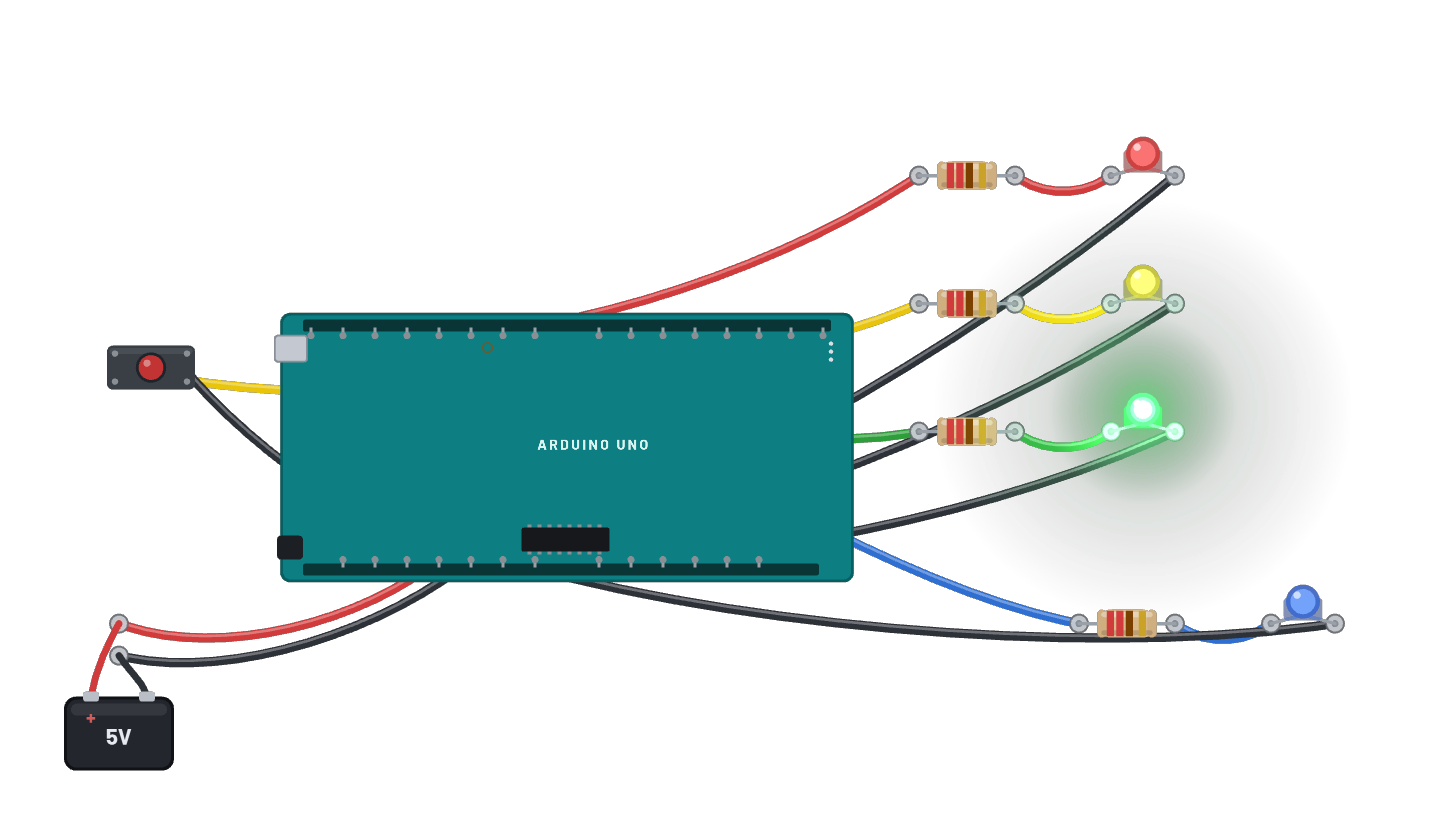
A real intersection controller on the Uno: red, yellow and green run the cars while a WALK lamp waits its turn. CLICK AND HOLD THE BUTTON to request a crossing; green yields after its minimum time, yellow bridges, then WALK lights while the cars sit at red and flashes out before green returns. A polled state machine with an input pull-up button, narrated phase by phase on the serial monitor. The Code tab holds the same logic as an editable Arduino sketch.
How it works
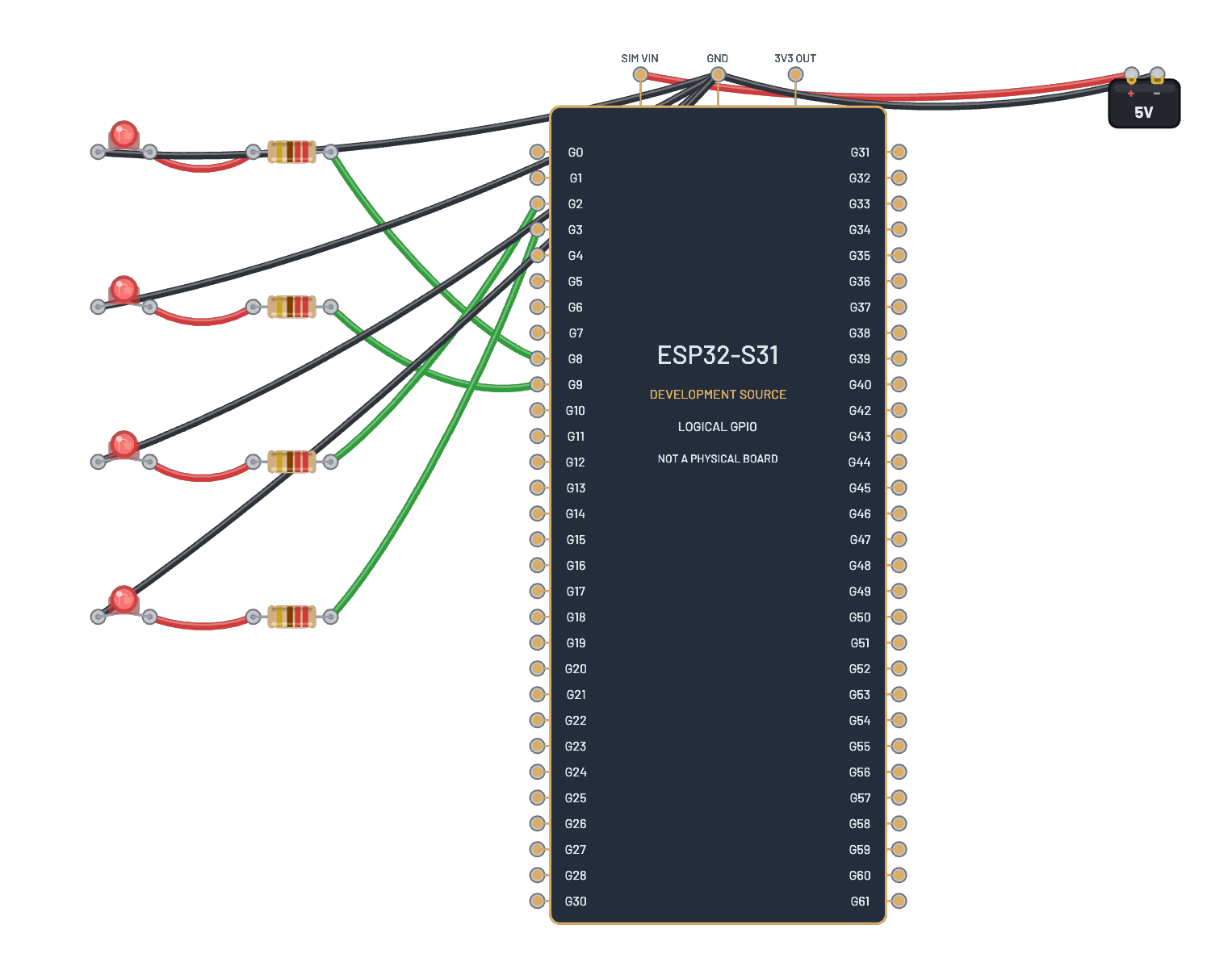
A real intersection controller: a polled state machine on the Uno. Red, yellow, and green run on D12/D11/D10, the WALK lamp on D8, and the crossing button on D2 with INPUT_PULLUP (so pressing reads LOW). Green holds at least 1.5 s and then keeps going until someone requests; yellow bridges for a second; red and WALK hold 3 s; WALK flashes out 4 times before green returns. Every phase is narrated on the serial monitor, and the Code tab holds the same logic as an editable sketch.
What's on the bench
- 4× LED
- 4× Resistor
- Arduino Uno R3
- Battery
- Button
How it's wired
- Battery · pos→Arduino Uno R3 · 5v
- Battery · neg→Arduino Uno R3 · gnd
- Arduino Uno R3 · d12→Resistor · a
- Resistor · b→LED · a
- LED · k→Arduino Uno R3 · gnd2
- Arduino Uno R3 · d11→Resistor · a
- Resistor · b→LED · a
- LED · k→Arduino Uno R3 · gnd2
- Arduino Uno R3 · d10→Resistor · a
- Resistor · b→LED · a
- LED · k→Arduino Uno R3 · gnd2
- Arduino Uno R3 · d8→Resistor · a
- Resistor · b→LED · a
- LED · k→Arduino Uno R3 · gnd2
- Button · a→Arduino Uno R3 · d2
- Button · b→Arduino Uno R3 · gnd2
The code
This Arduino C++ sketch lives in the Code tab; sign in and press Compile & upload to build real firmware for the emulated board.
// The same crossing controller as an Arduino sketch. Edit it, then
// Compile & upload (sign-in needed): the server builds real AVR firmware.
const int RED_PIN = 12, YELLOW_PIN = 11, GREEN_PIN = 10;
const int WALK_PIN = 8, BUTTON_PIN = 2;

void lights(bool r, bool y, bool g, bool walk) {
  digitalWrite(RED_PIN, r);
  digitalWrite(YELLOW_PIN, y);
  digitalWrite(GREEN_PIN, g);
  digitalWrite(WALK_PIN, walk);
}

void setup() {
  pinMode(RED_PIN, OUTPUT);
  pinMode(YELLOW_PIN, OUTPUT);
  pinMode(GREEN_PIN, OUTPUT);
  pinMode(WALK_PIN, OUTPUT);
  pinMode(BUTTON_PIN, INPUT_PULLUP);  // the button closes to ground
  Serial.begin(9600);
}

void loop() {
  lights(false, false, true, false);
  Serial.println("GREEN  cars flow");
  unsigned long start = millis();
  bool requested = false;
  // Green holds at least 1.5 s, then until someone asks to cross.
  while (millis() - start < 1500 || !requested) {
    if (digitalRead(BUTTON_PIN) == LOW) requested = true;
    delay(10);
  }
  lights(false, true, false, false);
  Serial.println("YELLOW  crossing requested");
  delay(1000);
  lights(true, false, false, true);
  Serial.println("RED  WALK on");
  delay(3000);
  Serial.println("WALK flashing  clear the road");
  for (int i = 0; i < 4; i++) {
    digitalWrite(WALK_PIN, LOW);
    delay(250);
    digitalWrite(WALK_PIN, HIGH);
    delay(250);
  }
  digitalWrite(WALK_PIN, LOW);
}
Try this
- Click AND HOLD the button: your request is honored only after the minimum green.
- Follow the serial narration: 'GREEN cars flow', 'YELLOW crossing requested', 'RED WALK on'.
- Stretch the red+WALK phase in the sketch for slower pedestrians and Compile & upload.
- Press during yellow: the state machine ignores you, exactly as it should.