In this post 4 sections
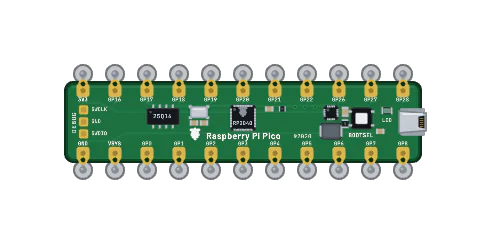
One engine for every boardSkipping time, exactlyWhat we measuredYour saved workEvery Pico you place on the bench runs real firmware, built for the real chip. Until this week, a JavaScript emulator ran that firmware. Now new Pico and Pico W sessions run on an RP2040 core we wrote ourselves.
That emulator is rp2040js, the open-source RP2040 emulator from Wokwi, and it got us a long way. It boots MicroPython, CircuitPython and the pico-sdk, and it taught us a lot about the chip. We thank the Wokwi team for it. But it lived outside the engine that runs our other boards, so work on that engine never reached the Pico.
01One engine for every board
With this switch, every microcontroller on the bench runs on one Rust core of our own: the Arduino family, the ESP32 family, the STM32 family and the Raspberry Pi Pico family.
That matters for more than speed. Improvements to that engine now reach the Pico too, and a Pico on a mixed bench runs in the same engine as the boards beside it.
02Skipping time, exactly
Most firmware spends most of its time waiting. A blink loop sleeps for half a second. MicroPython waits at its prompt for you to type. On real silicon the CPU keeps running through those waits, and an emulator that runs every one of those instructions spends your laptop's time on nothing.
from machine import Pin
import time

led = Pin(25, Pin.OUT)      # the Pico's on-board LED
while True:
    led.toggle()
    time.sleep_ms(500)      # half a second of waiting
The new core recognises when firmware is only waiting, and moves straight on to the next thing that matters.
The firmware cannot tell. That is the rule every shortcut has to pass.
Registers, timers and pins end up exactly where they would be if every instruction had run. We check that on every benchmark run.
03What we measured
We ran eight real workloads on both emulators, from two Pico Ws talking over Bluetooth LE to a CircuitPython boot, and timed how long each took to simulate the same firmware work. Each workload ran twelve rounds on one quiet machine.
- 8 of 8
- workloads faster on the new core
- 12 of 12
- rounds faster, in every workload
- Up to 9.55×
- median speed-up, at the MicroPython prompt. The smallest was 1.35×, on PIO and DMA.
| Workload | JavaScript | Our core | Speed-up |
|---|---|---|---|
| MicroPython prompt | 0.561 s | 0.059 s | 9.55× |
| Rust blink | 0.217 s | 0.027 s | 7.99× |
| Two Pico Ws over Bluetooth LE | 11.007 s | 2.497 s | 4.41× |
| CircuitPython boot | 1.500 s | 0.461 s | 3.26× |
| Pico W Wi-Fi scan | 2.172 s | 0.865 s | 2.51× |
| C program, USB serial | 0.120 s | 0.075 s | 1.59× |
| pico-sdk dual-core test | 0.053 s | 0.039 s | 1.36× |
| PIO and DMA | 0.034 s | 0.025 s | 1.35× |
On the bench, a Pico still runs at real time: one simulated second for every second on the clock. The speed-up shows up as headroom. Your laptop does less work to keep the Pico on time, which leaves room for the rest of the circuit.
04Your saved work
Saved circuits do not change. A project names the board, not the emulator, so every saved Pico project opens on the new core.
Time-travel recordings made before the switch still play back exactly as they were recorded.
The switch also fixed things the old path lacked. The physical BOOTSEL button now works, you can inspect the PIO state machines, and a watchdog reset now shows a notice that names it.